 UniKiosk
Concepts
How offline works
What happens on a UniKiosk screen when the internet drops, the router reboots, or the site never had a connection.
No competitor in this category answers this question properly, because for a cloud product the honest answer is uncomfortable. Here it is for this one.
The short version
The board keeps playing. The device holds the layout and the media, so a total loss of internet changes nothing about what is on the wall. Only widgets that fetch something will stop refreshing, and they hold their last value rather than going blank.
The three states
No internet, network present. Everything local keeps working, including the admin console from a laptop on the same network. Remote feeds hold their last value.
No network at all. The board plays. You cannot reach the console until the network is back, but the screen is unaffected. This is the state a site with no connectivity at all lives in permanently, and it is a supported way to run.
No power. The device restarts, the app comes back on boot, the lockdown re-engages and the published layout resumes. Nobody has to visit the site.
What each widget does when a fetch fails
| Widget | Behaviour |
|---|---|
| Image, gallery, video, playlist | Plays from cache; unaffected |
| Text, ticker, shape, QR | Local; unaffected |
| Clock, world clocks, countdown | Local; unaffected |
| Calendar (ICS) | Keeps the last fetched events |
| RSS | Keeps the last fetched headlines |
| Weather | Keeps the last reading, with its timestamp |
| Table / chart from a URL | Keeps the last rows |
| Web frame | Keeps the last render where the platform allows, otherwise shows your fallback |
| Live text | Keeps the last pushed value |
Holding stale content is deliberate. In a public space a board that is an hour out of date is almost always better than a board that is blank or showing an error page.
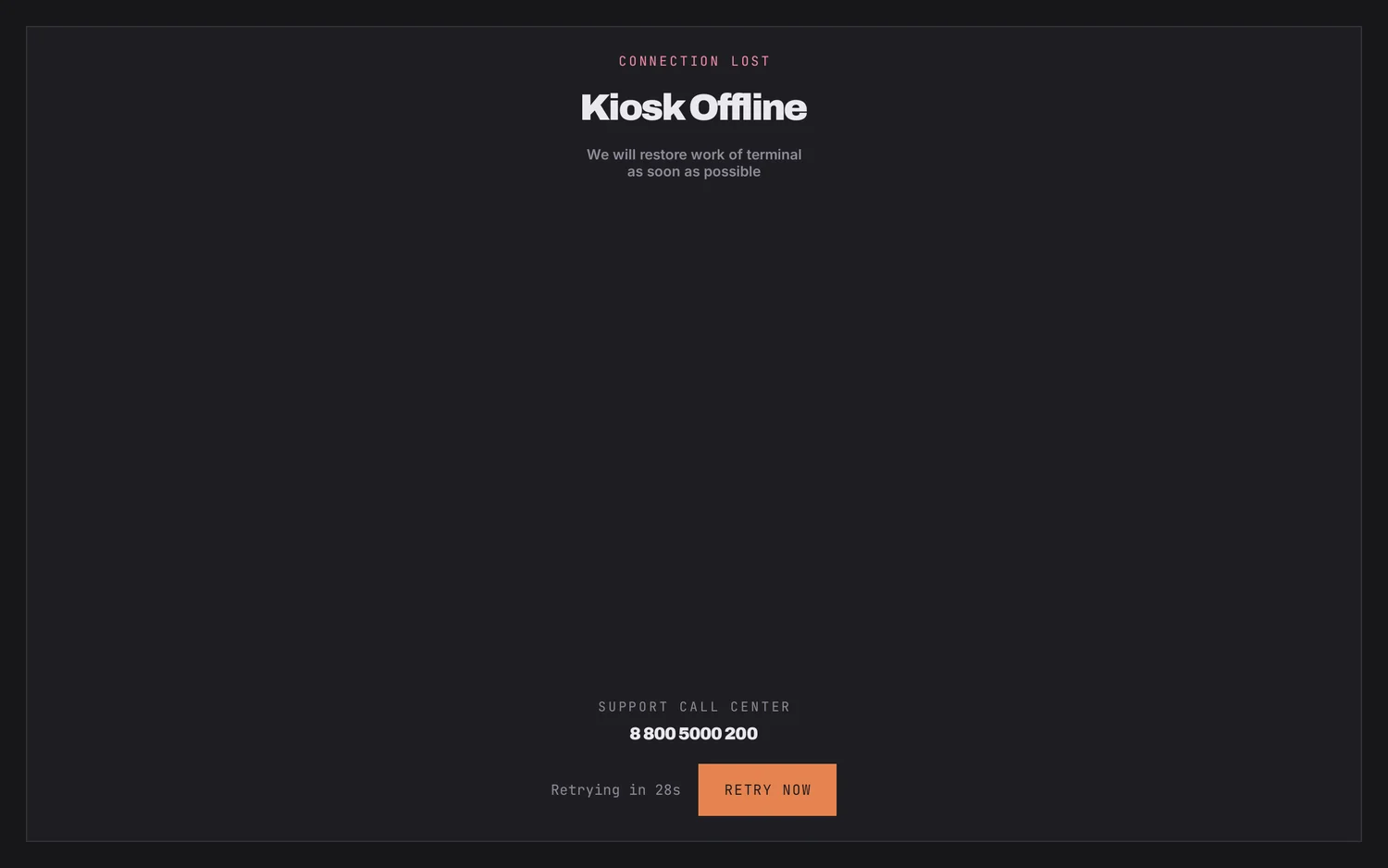
The offline screen
If the app cannot render at all — a missing layout, a corrupt import — it shows an offline screen rather than a stack trace. That screen is yours to brand: your logo, your support number, a retry control and a countdown.
Media caching
Media is downloaded once and cached on the device. Set the cache size under Settings → Content to match the storage you have. If you point the panel at a network folder, it syncs when the folder is reachable and plays from cache when it is not.
What this does not solve
It does not make remote data appear. A departure board fed by a CSV on a server that is down will show the last rows it read, correctly and stale. If that is unacceptable for your use, put a timestamp widget beside it so anyone looking can see how old the figures are.