 UniKiosk
Image
One picture, fitted or filled, with its own timing.
Features
A signage player, a kiosk lockdown and an admin console in one APK. Nothing here needs an account, a subscription or a working internet connection.
One — the player
Layouts are stored in grid cells rather than pixels, so a design made for a wall screen survives being put on a portrait totem.
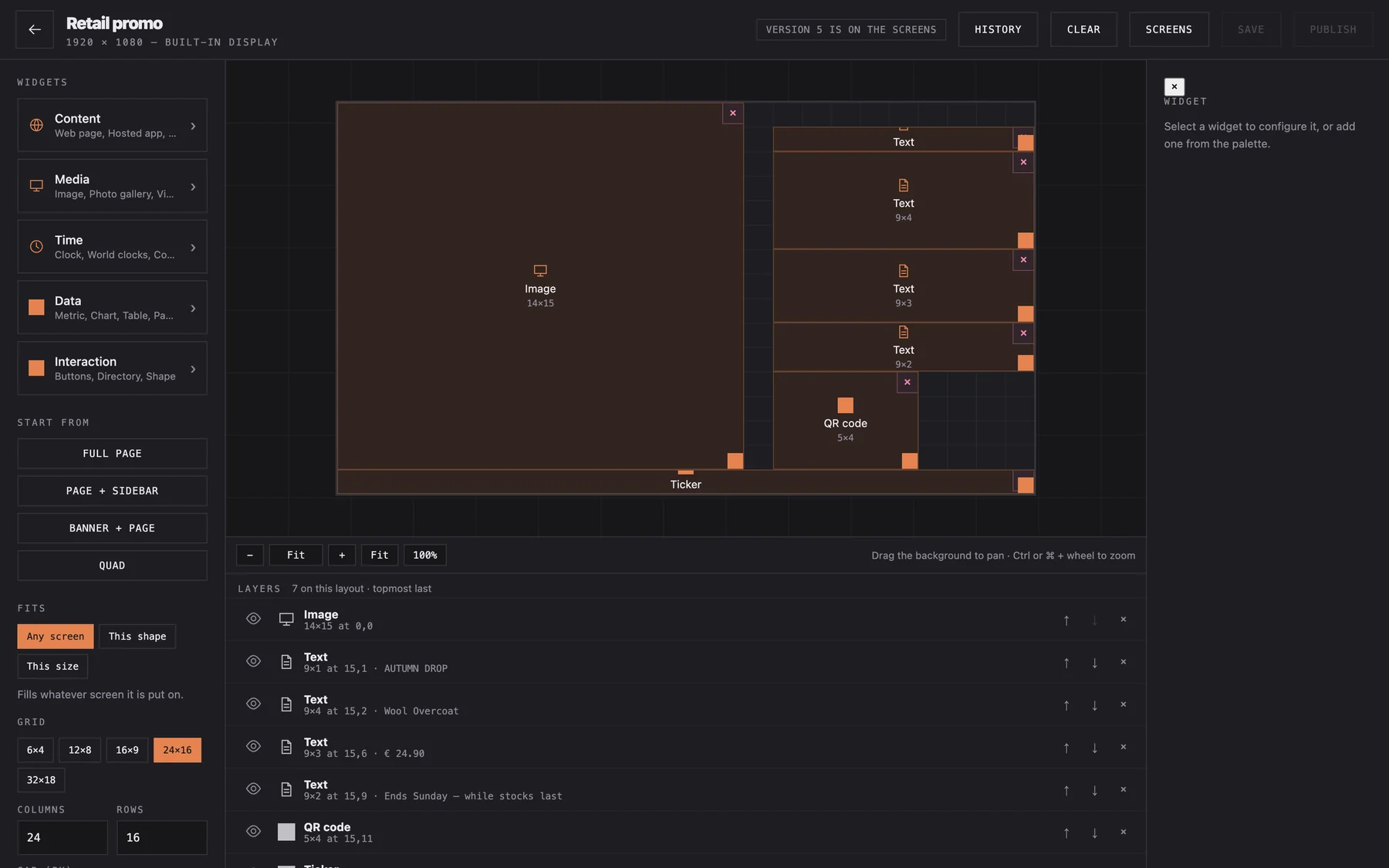
Every edit lands in a draft. The screen keeps showing the published version until you say otherwise, and the last twenty versions stay recoverable.
16:9, 9:16, 16:12 and 1:1 are set up out of the box, and the grid takes any column and row count you give it.
Upload a typeface and it becomes available to every widget. Right-to-left is handled properly, not bolted on — Persian and Arabic boards render the way a native reader expects.
One picture, fitted or filled, with its own timing.
A folder of pictures, cross-faded on an interval you set.
Local files or a URL, muted or not, looped or once.
Mixed media in order, each item with its own dwell.
Headline, body or price, with your own typeface and colour.
A crawling line for notices, prices or alerts.
Analogue or digital, twelve or twenty-four hour.
Several cities in one strip, each with its zone.
An ICS feed rendered as an agenda or a month.
Time remaining to a moment, in your own words.
A list of names, rooms and arrows for wayfinding.
Rows from CSV or JSON, aligned and paginated.
Bar, line or donut, from a feed or fixed figures.
One number against a target, as a dial or a bar.
A link, a menu or a Wi-Fi handshake, scannable.
Headlines from a feed, styled to match the board.
Any page, framed and refreshed on a schedule.
Conditions and forecast for a place you name.
A full-bleed message that interrupts the rotation.
A rule, block or divider to structure the grid.
Your own markup and CSS, sandboxed in the board.
A value pushed over the local network, updated in place.
For kiosks: a keyboard-driven lookup on your data.
Touch targets that switch layouts or open a page.
Background sound or a chime, with a schedule.
Free space and cache size, for the maintenance board.
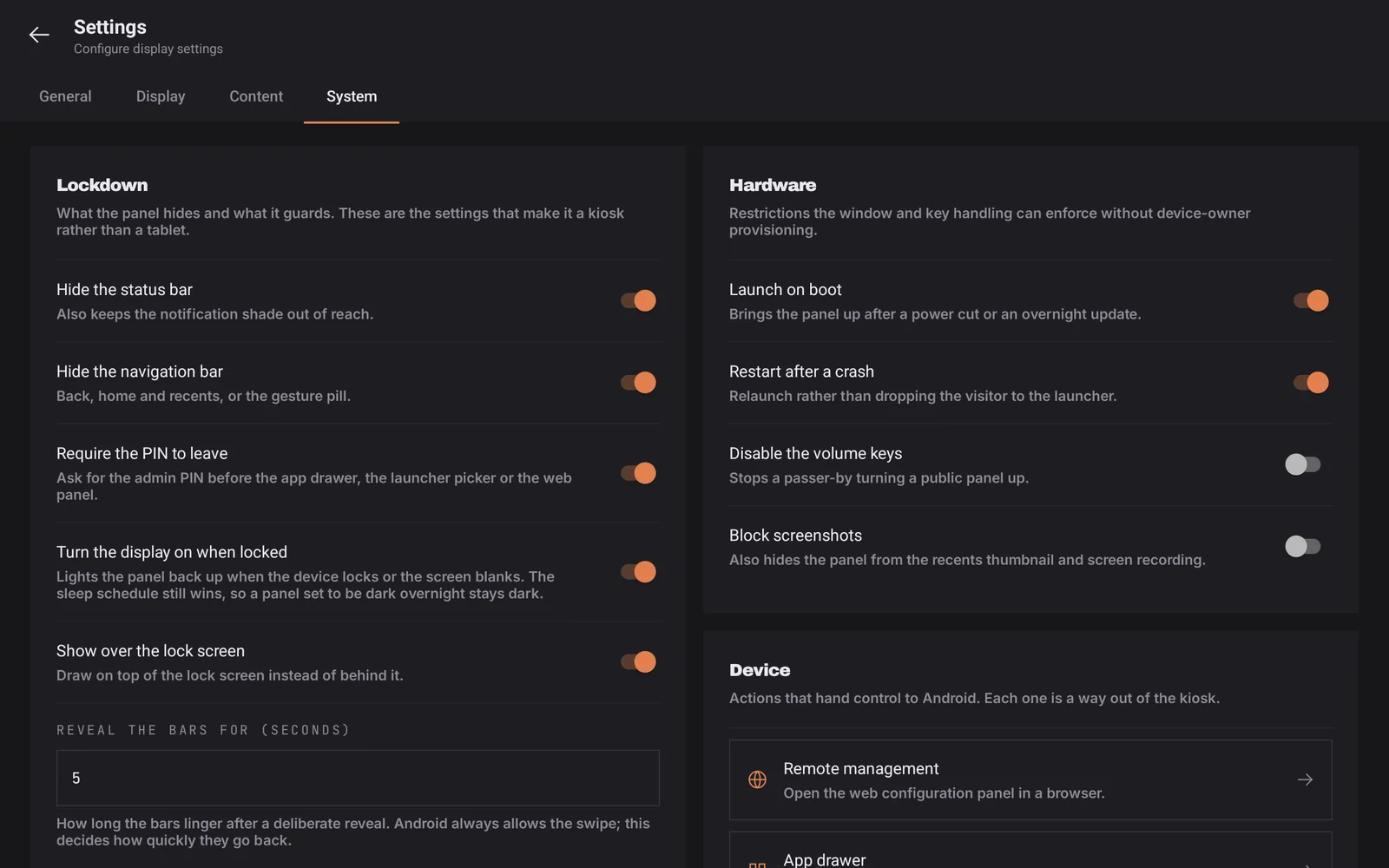
Two — the lockdown
The part every signage vendor treats as an afterthought and every MDM vendor charges for separately.
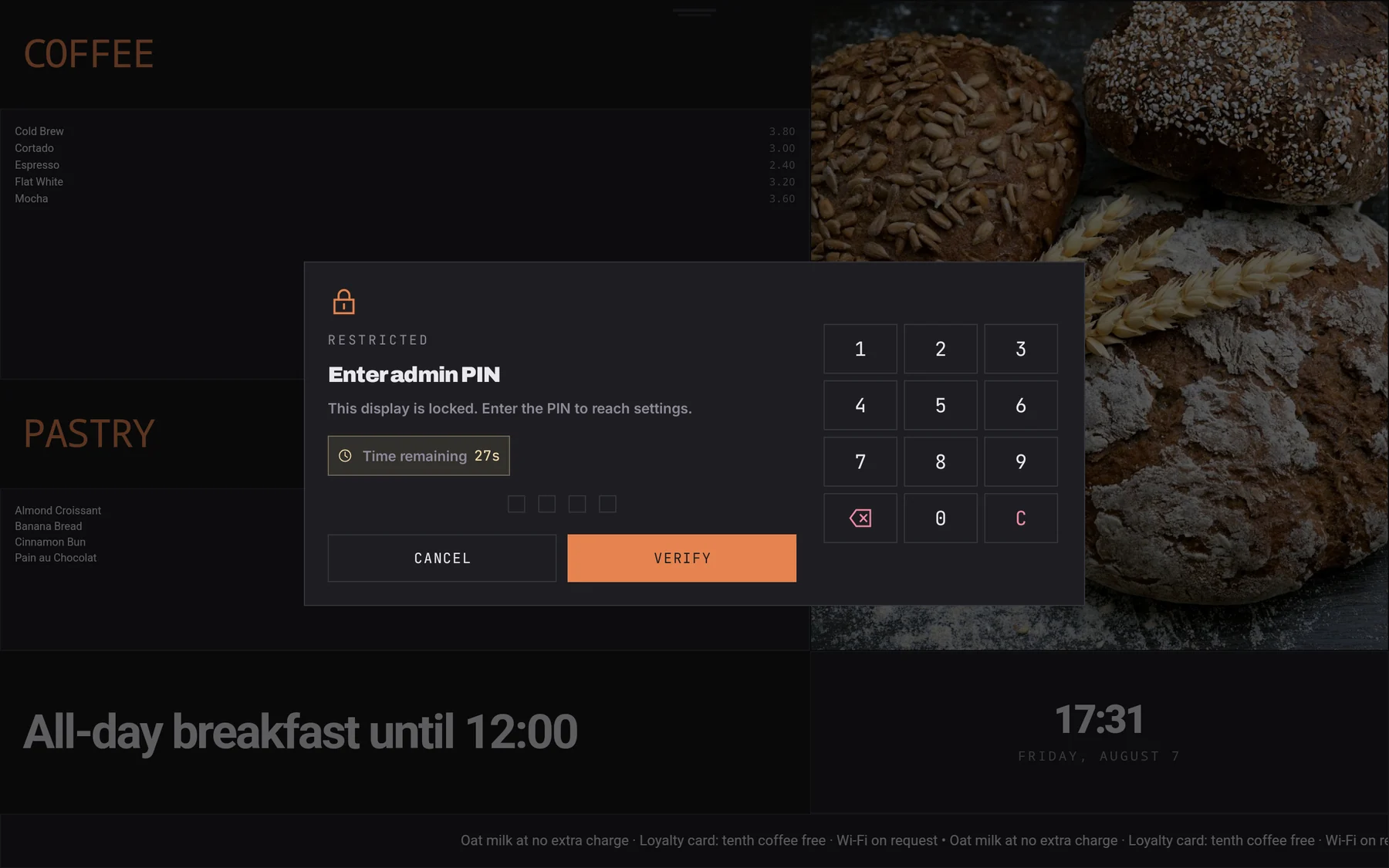
Five taps in the bottom-left corner, then a PIN. No visible button for a passer-by to find, and no reason for staff to learn a gesture they will forget.
Three — the console
Open a browser on the same network and point it at the device. There is no portal, no tenant and no seat to buy.
Runs on the device on port 8080. Any laptop, tablet or phone on the same network can drive it.
Panels announce themselves over SSDP, so you do not have to hunt for an address.
The console has its own credentials, separate from the on-device admin PIN.
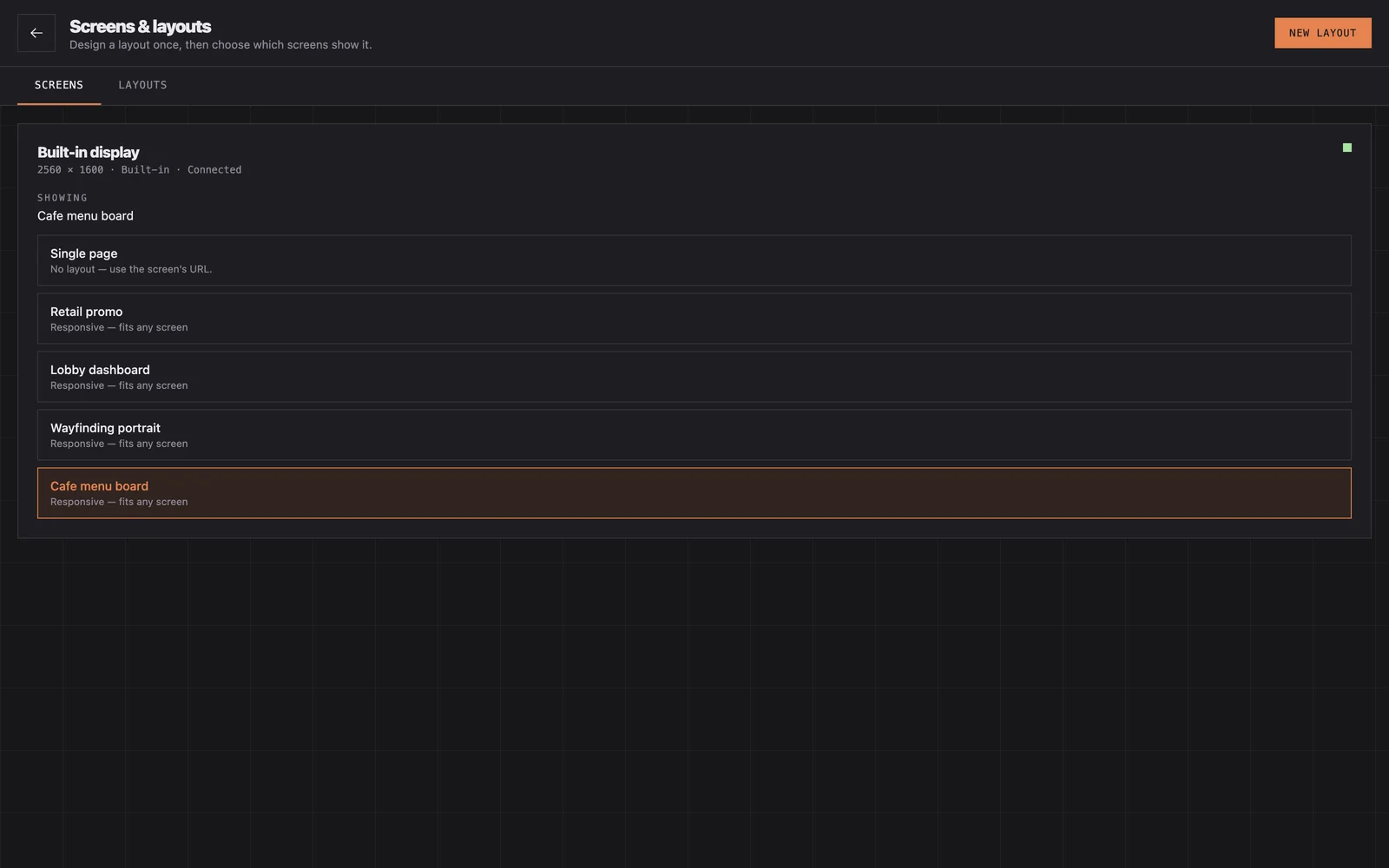
Register each screen once, then assign any layout to it. The board swaps without a restart.
Upload images, video and typefaces, or point the panel at a network folder and let it sync.
Layouts are portable JSON. Build one board, export it, import it onto fifty devices.
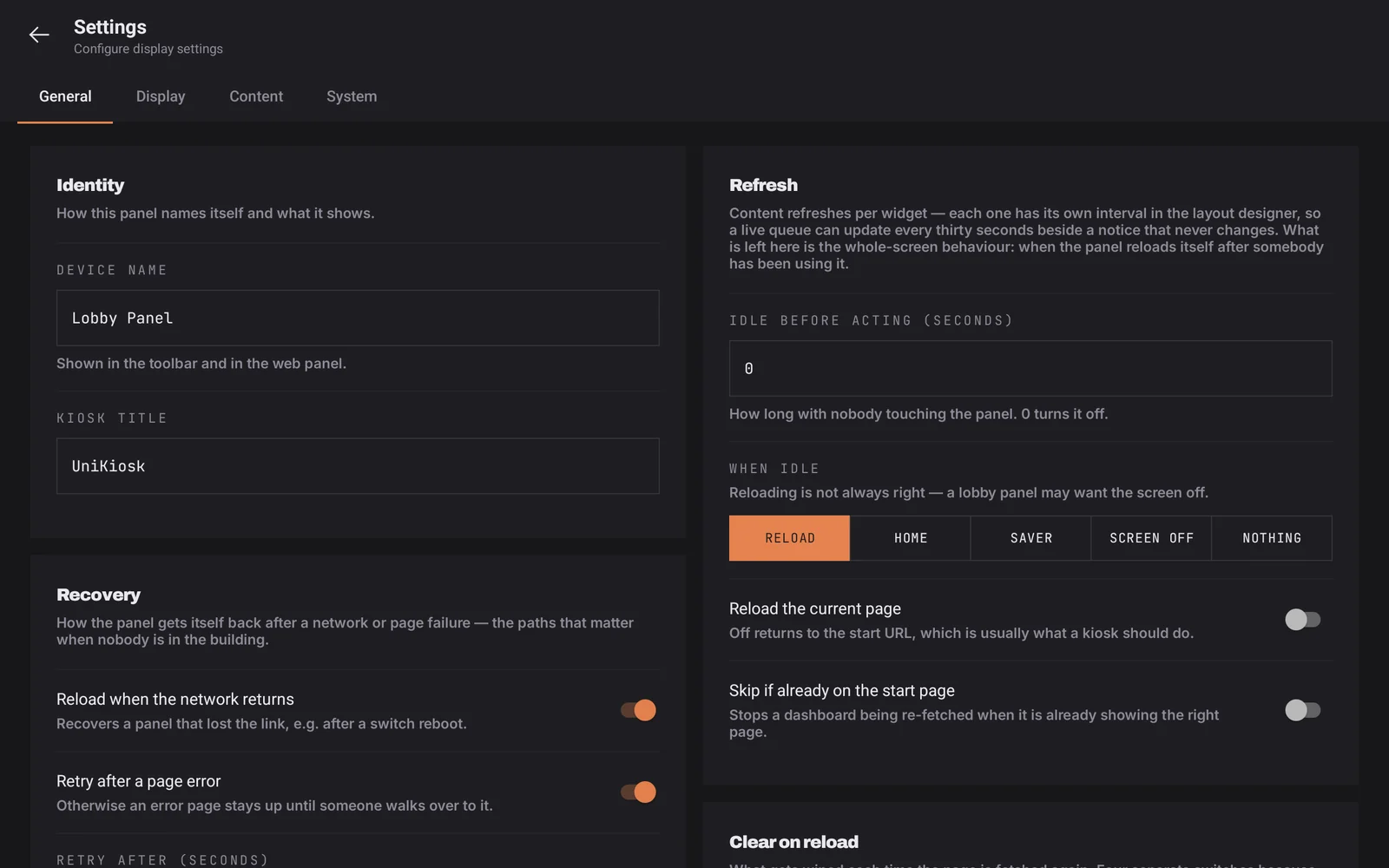
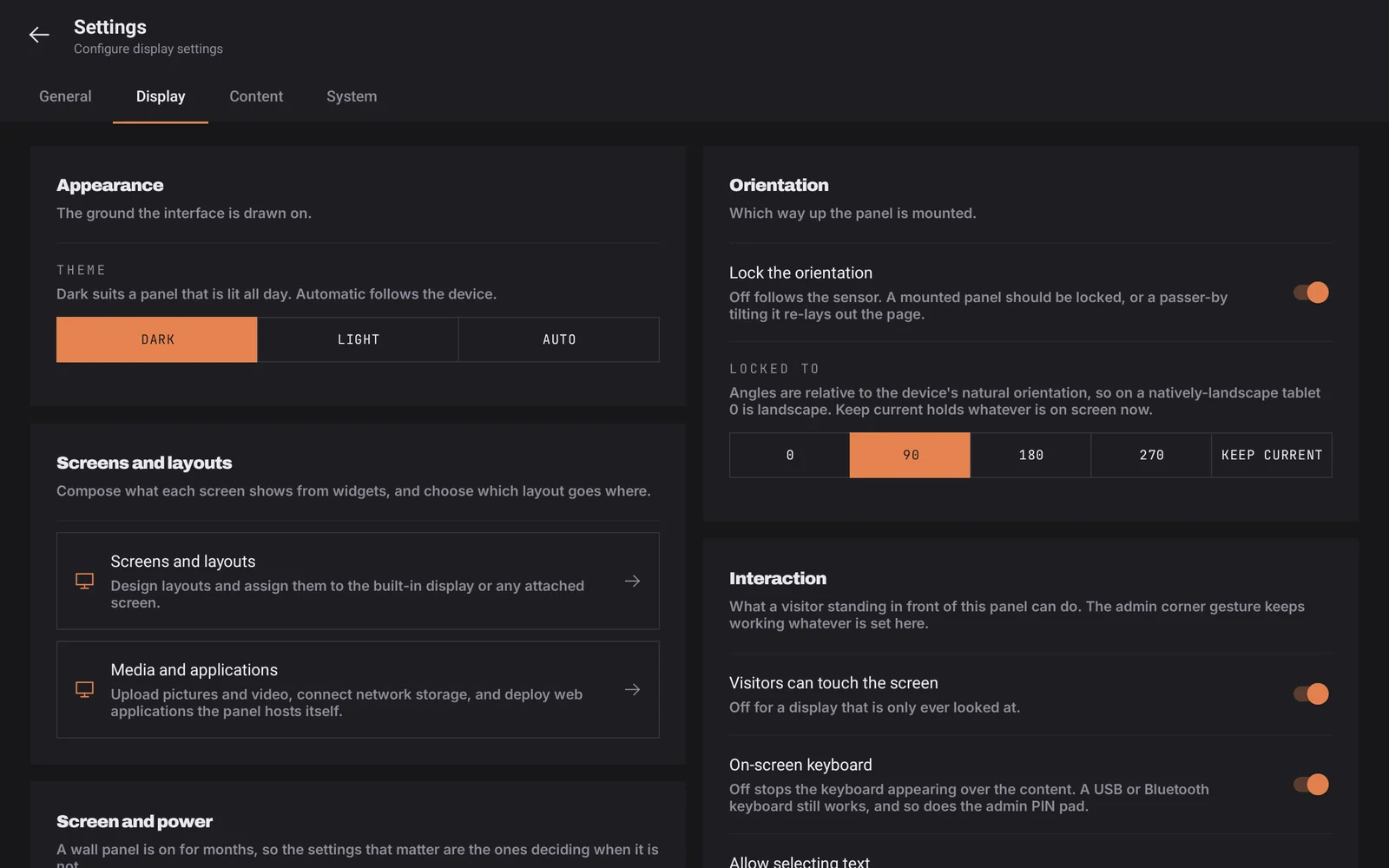
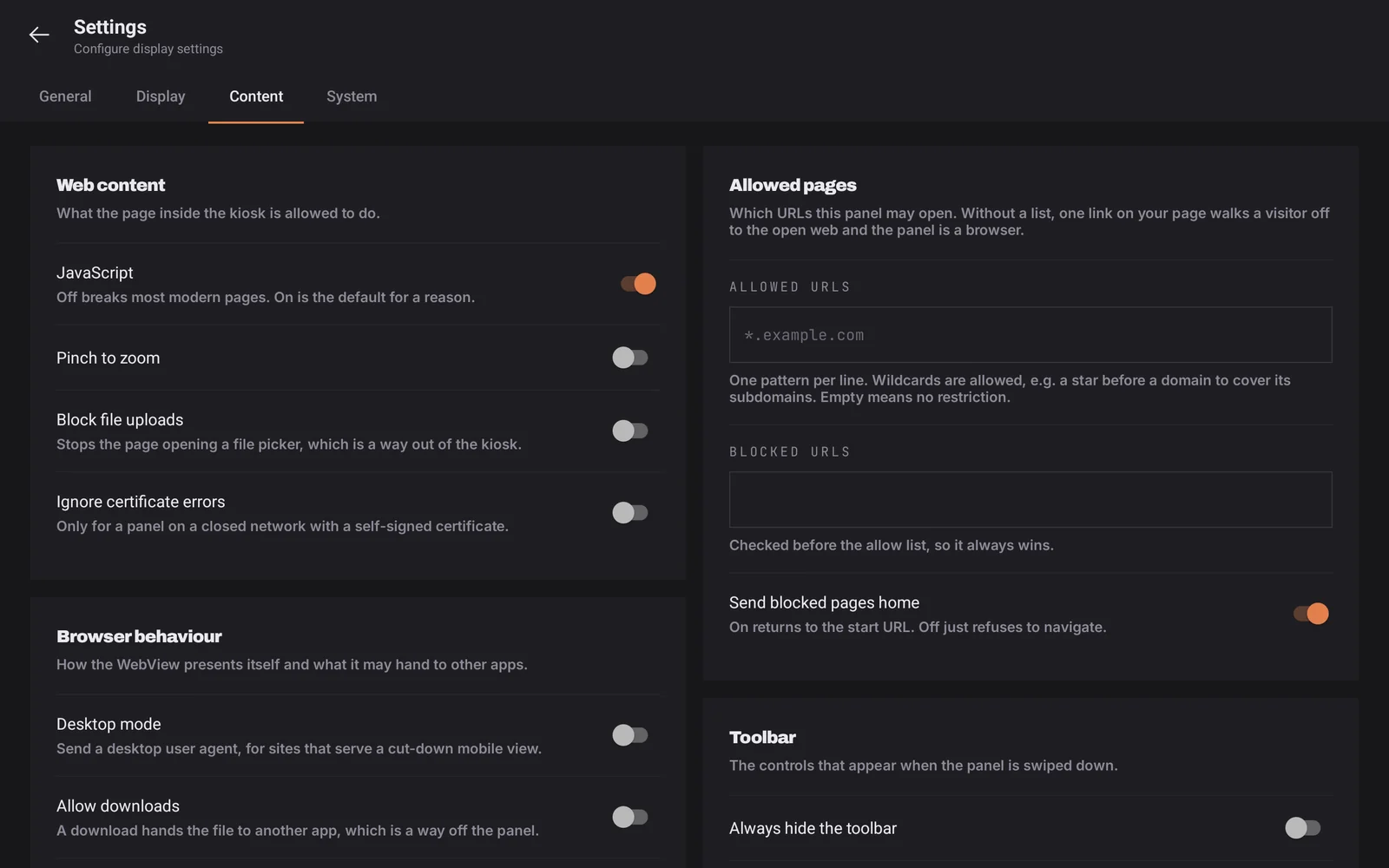
Settings
Coming
Listed here because a missing feature you find out about later is worse than one you were told about.
451 boards across 44 trades are already written. Pick one and put it on a wall.